¶ Set Up Instructions for the Android App
Follow these steps on your Android phone. Menu names may vary slightly by version.
What you’ll need
- Your Tailscale auth key from the onboarding message (keep it secret).
- A way to message the admin back (same channel as onboarding).
- The Tailscale app installed using the Play Store (Verify the publisher is Tailscale Inc.)
¶ Step 1 — Open Tailscale
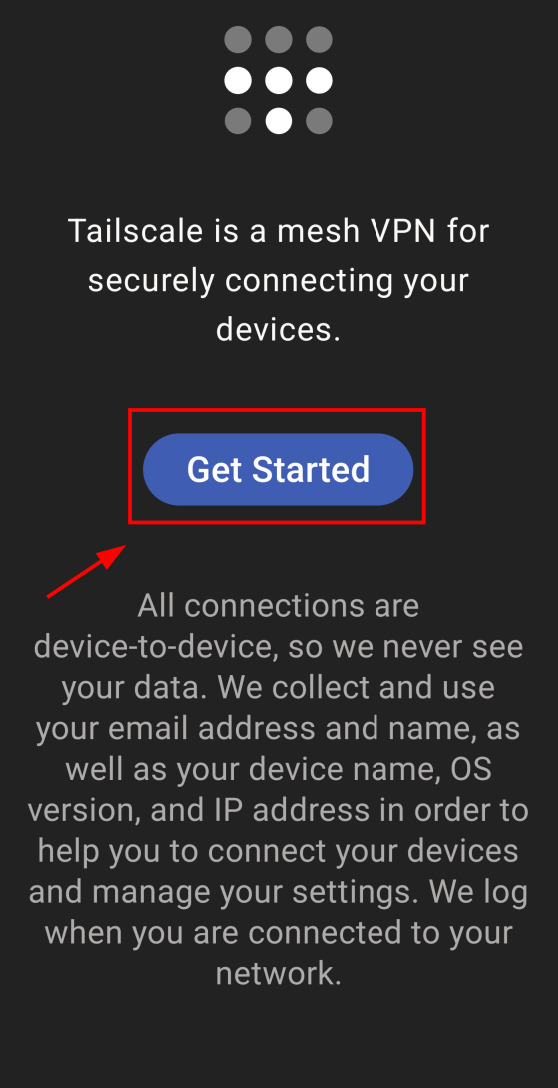
Open Tailscale and tap Get Started.
Screenshot: “Get Started” button highlighted.
¶ Step 2 — Allow VPN permission
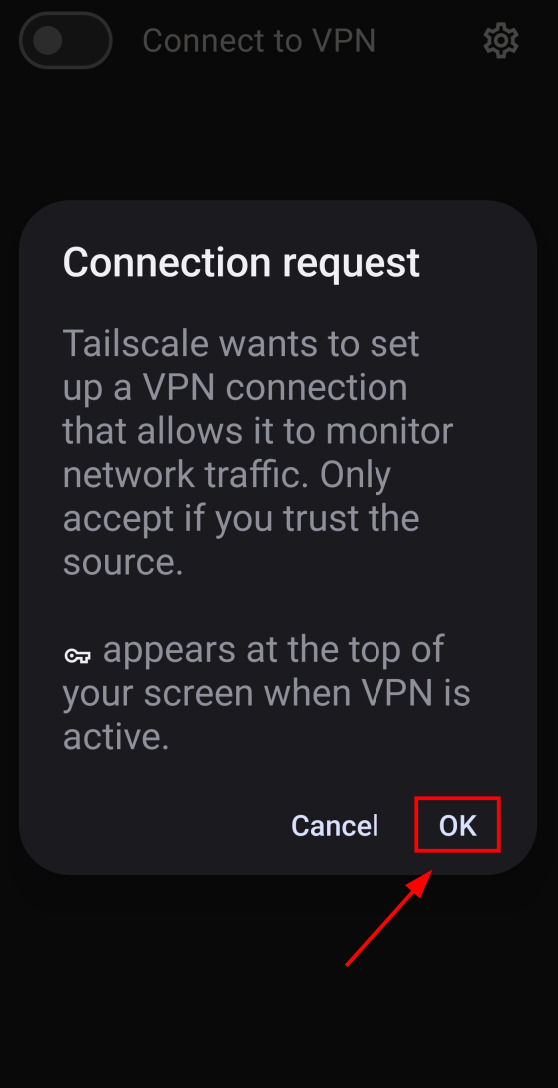
When Android shows the “Connection request” prompt, tap OK to let Tailscale create a VPN connection.
Screenshot: System VPN permission dialog with OK highlighted.
¶ Step 3 — Dismiss the browser SSO page (if it appears)
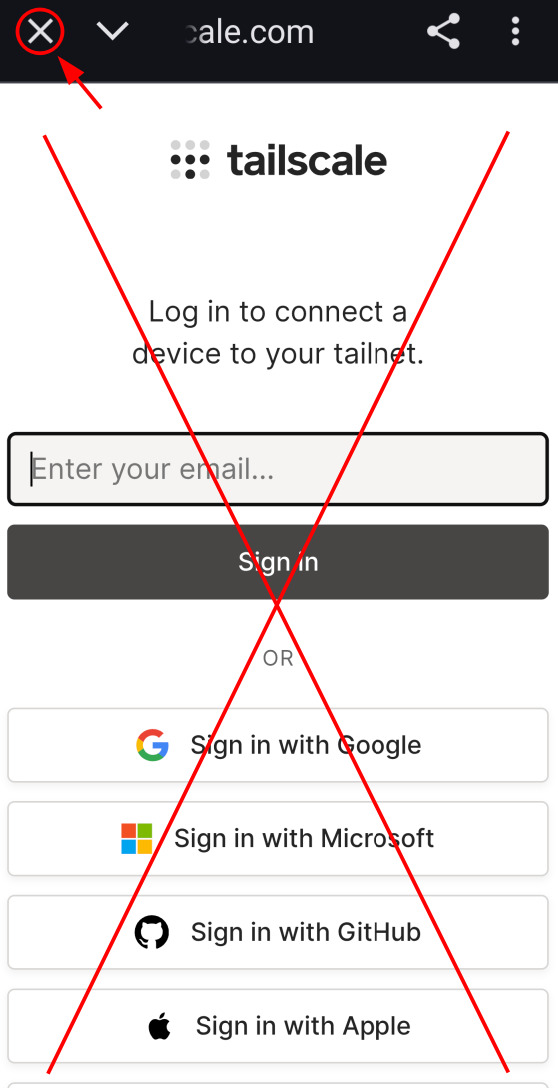
If a web page opens asking you to Sign in with Google/Microsoft/GitHub, do not sign in. Tap the close/X and return to the app — we use an auth key, not SSO.
Screenshot: Browser SSO page crossed out with the close/X highlighted.
¶ Step 4 — Open Settings
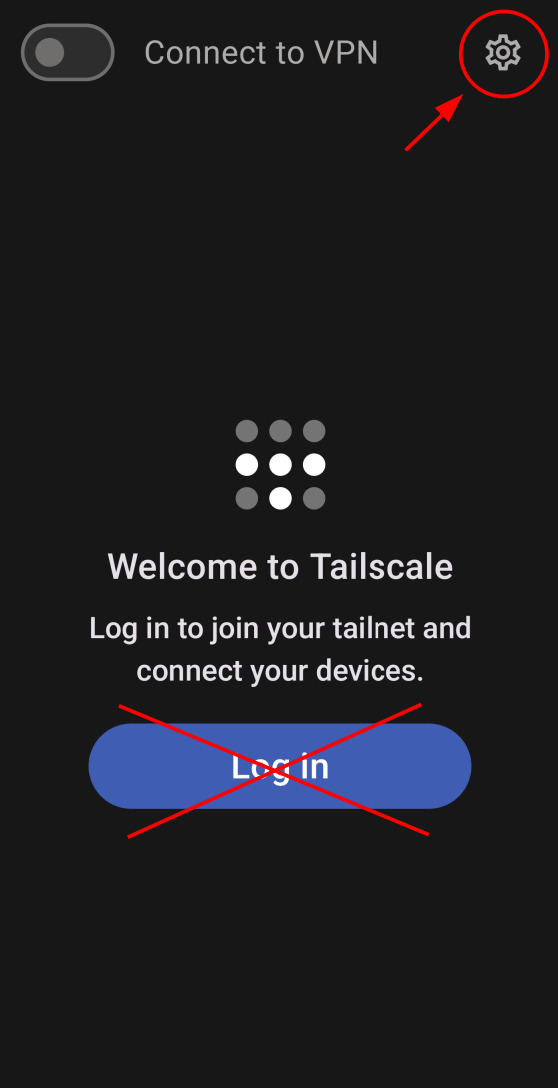
Back in Tailscale, tap the gear (settings) icon in the top-right.
Screenshot: Gear icon highlighted.
¶ Step 5 — Open Accounts
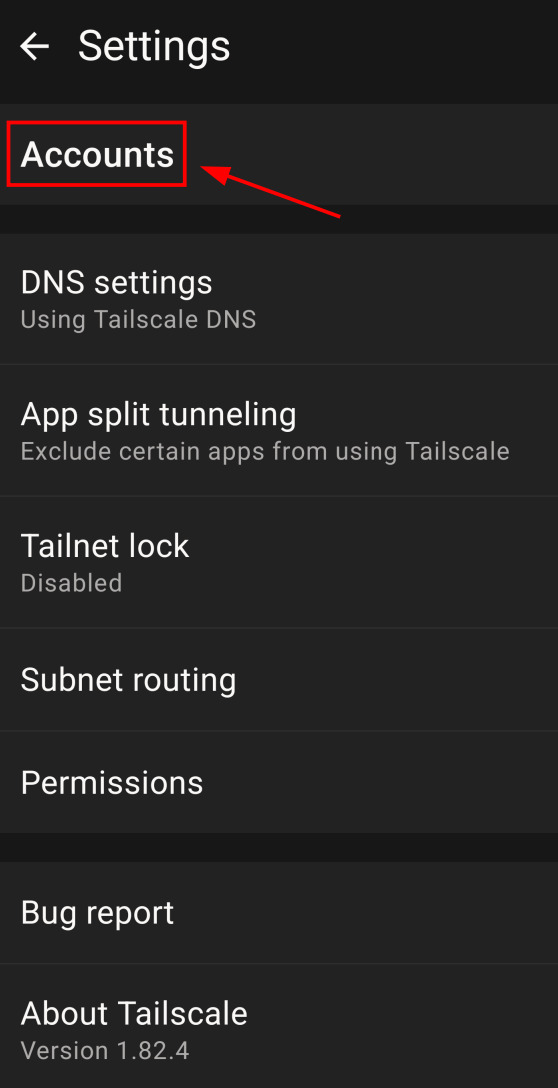
In Settings, tap Accounts.
Screenshot: “Accounts” row highlighted.
¶ Step 6 — Open the menu
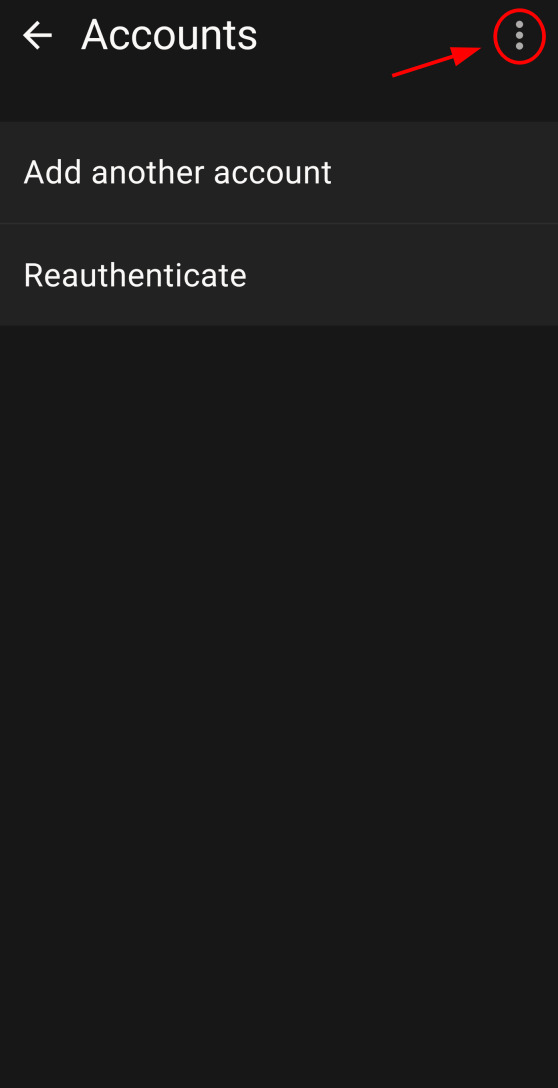
On the Accounts screen, tap the ⋮ (three-dot) menu in the top-right.
Screenshot: Three-dot menu highlighted.
¶ Step 7 — Choose Use an auth key
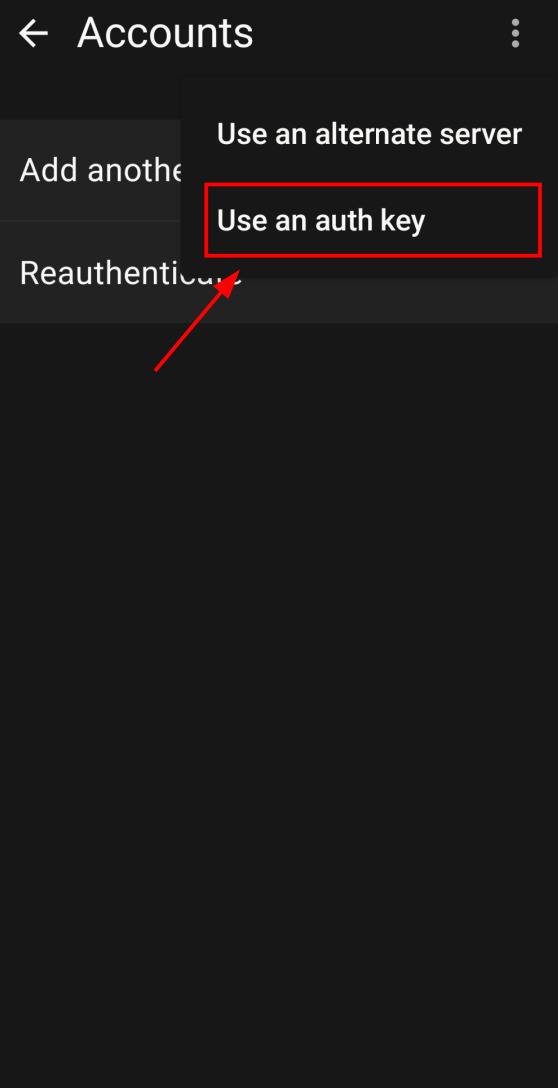
From the menu, select Use an auth key (it may appear beneath Use an alternate server).
Screenshot: “Use an auth key” menu item highlighted.
¶ Step 8 — Paste your key and add the account
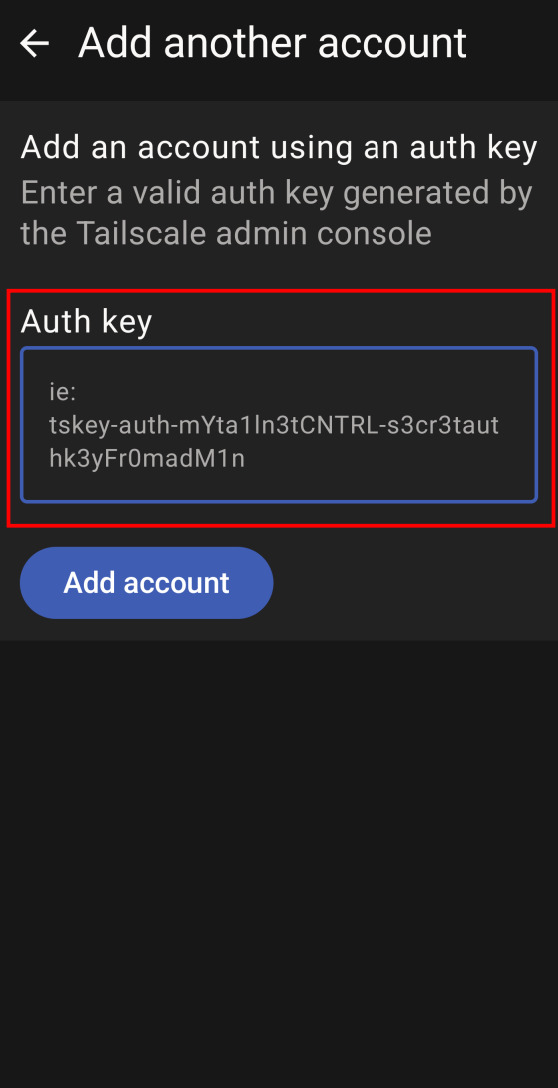
Paste your authorization key into the Auth key field, then tap Add account.
Screenshot: “Auth key” field and “Add account” button highlighted.
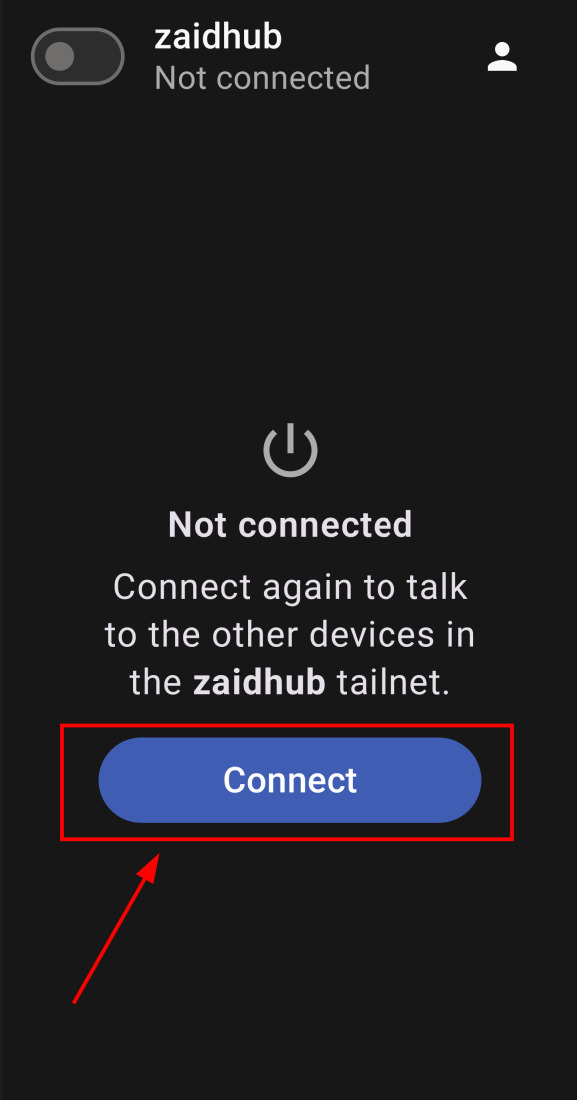
¶ Step 9 — Connect
Return to the main screen and tap Connect.
Screenshot: “Connect” button highlighted.
¶ Step 10 — Send your device name (Tailnet Lock approval)
Because Tailnet lock is enabled, your device must be approved before it can talk to other devices or services.
- Locate your device name.
- Send your device name to the admin using the same channel as your onboarding message.
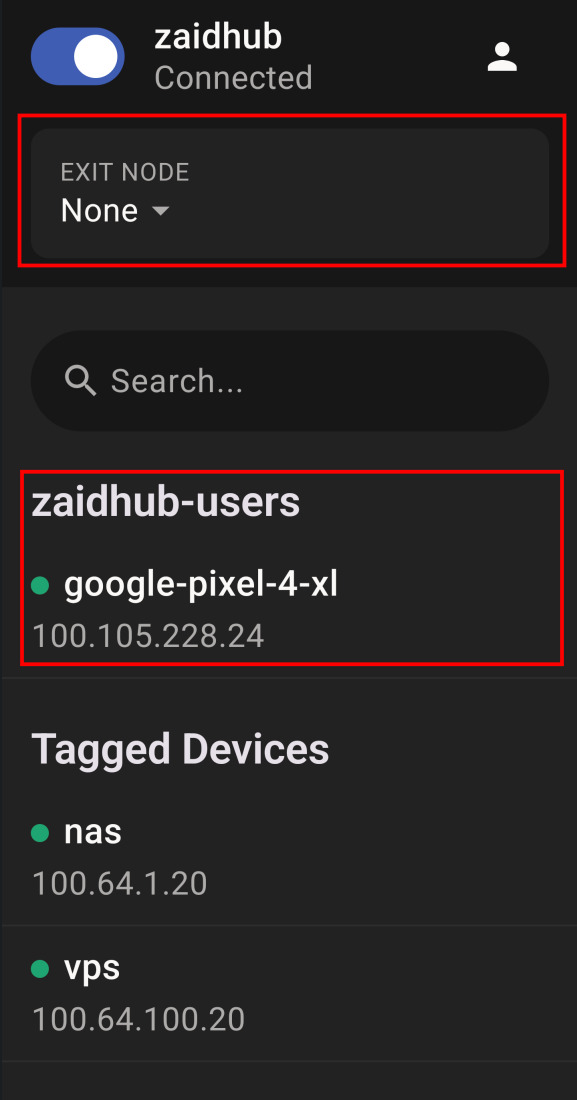
Your device will appear under the its default device group. For example, in the screenshots below, the device group is zaidhub-users and the device name is google-pixel-4-xl.
Screenshot: device group and device name highlighted.
⏳ While awaiting approval: You might appear “Connected” to the tunnel, but hub services won’t open until the admin approves your device.
🌐 Tip: Exit Nodes
By default, Tailscale only provides private access to the hub. If you enable Use exit node, all of your internet traffic goes out through the chosen node (similar to commercial VPNs). This is useful if you are on untrusted networks (eg. WiFi at airports or cafes). We provide exit nodes you can select after you’re connected. For more details, check the VPN section in the available services.
⚠️ Warning: Do not use an Exit node until the admin confirms your device has been approved. Enabling it early will prevent internet access. Simply set the exit node to None to regain internet access.
¶ After approval
- Keep Tailscale running; it reconnects automatically.
- You can now access the start page and services (e.g.,
s.zaidhub.com) while Tailscale is connected.
¶ Common issues & fixes
- Key rejected/expired → Ask the admin for a new key.
- Connected but nothing loads → You’re likely awaiting Tailnet Lock approval. Send your device name to the admin. Set exit node to None or disconnect from Tailscale.
- No internet after toggling Exit node → Turn off Exit node and try again after approval.
¶ Screenshots for Setting Up Tailscale on Android
Click an image to zoom.